Products
Use cases
Industries
Resources
Company
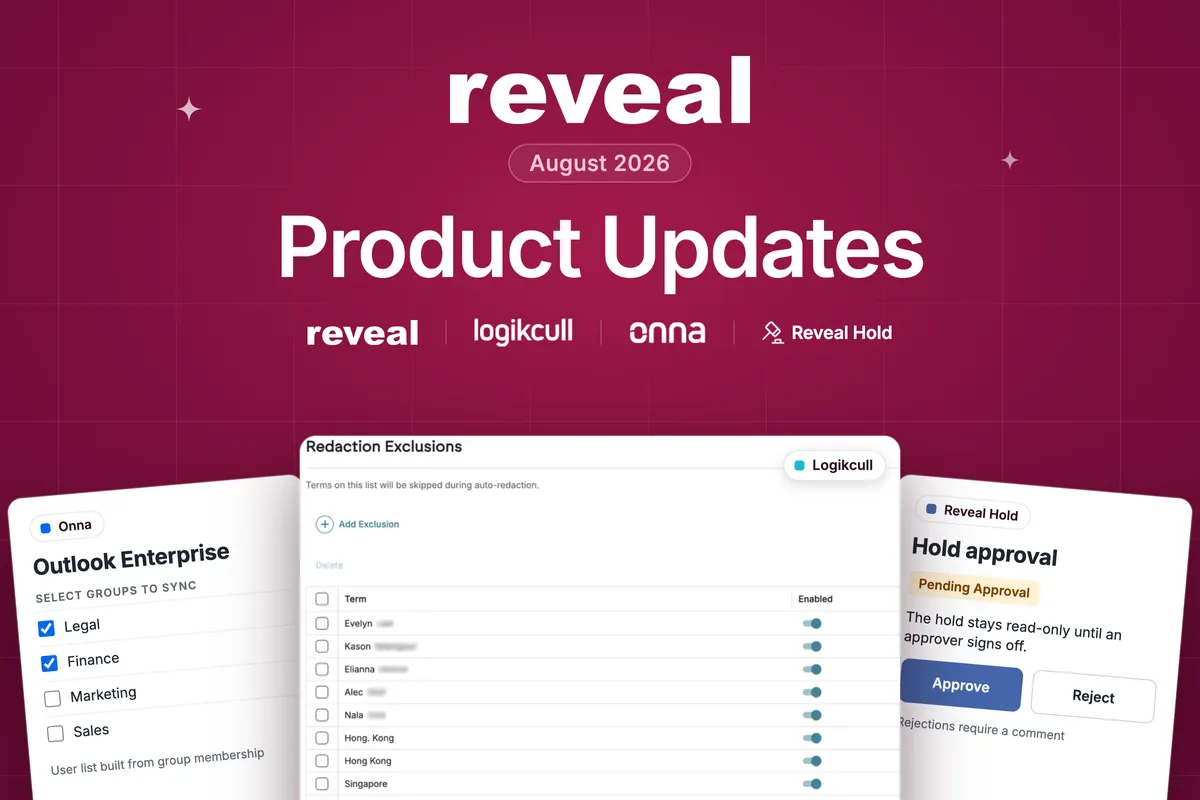
If these are the dog days of summer, someone forgot to tell our product team. August brought a full slate of updates across Logikcull, Onna, and Reveal Hold: auto-redactions that finally know what to leave alone, Outlook collections scoped to just the groups you need, and a "check with me first" step before any hold goes out.
Here's the roundup, in plain language.
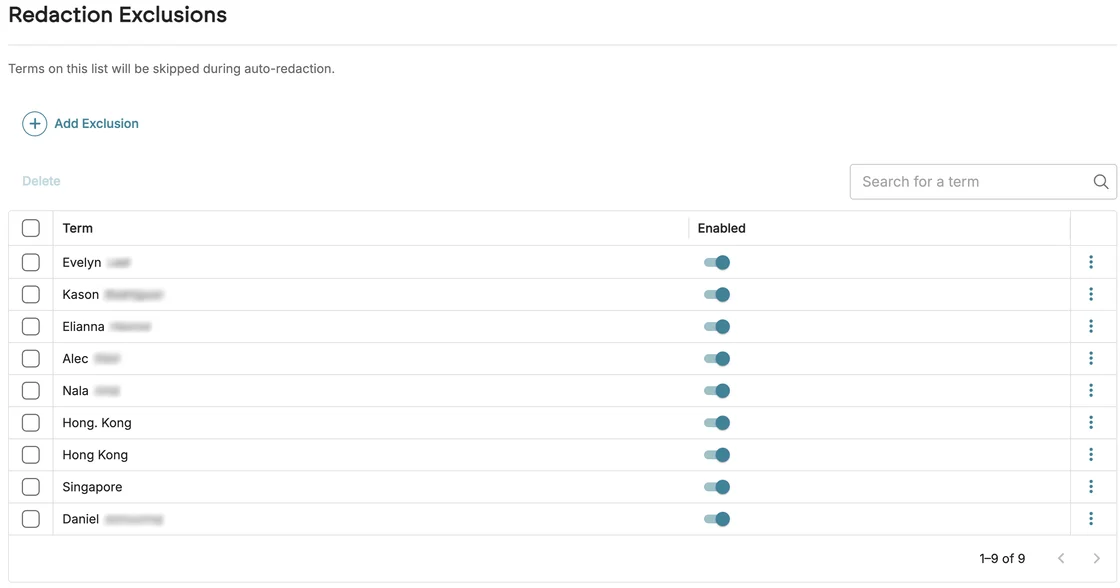
Automatic redactions are wonderful, right until they develop free will, black out your client's name across all 4,000 documents, and walk away feeling proud of their work.
Now, you can put them on a short leash by giving them a do-not-touch list.
From the Redactions tab, under Project Settings, you can build a Redaction Exclusions List and Logikcull leaves those terms alone everywhere redactions fire: as you open a document, when the PII toggle is on, and when someone reaches for the redaction tool by hand.
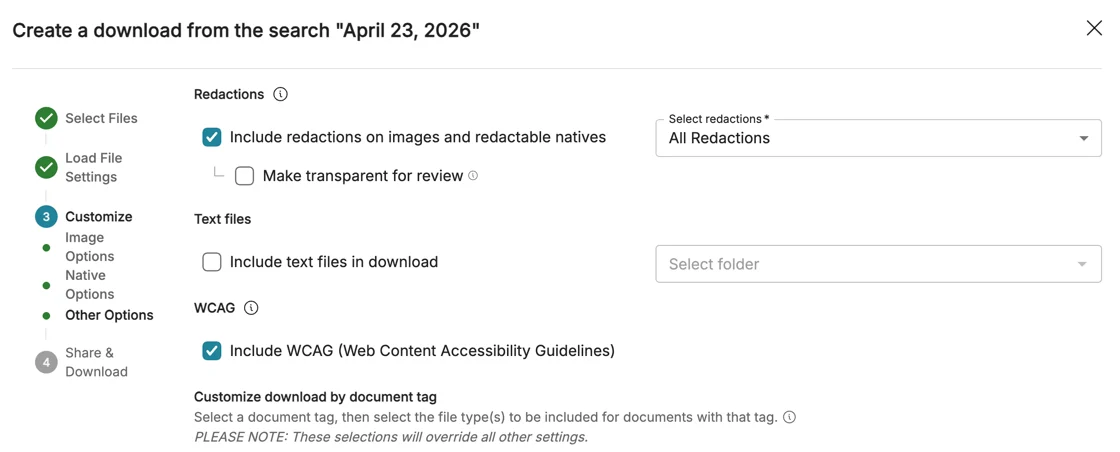
Logikcull downloads now include an option to structure your produced PDFs so they are oriented toward WCAG 2.2 standards. Checking the box produces tagged PDFs that pass automated accessibility checkers such as PAC.
Your preference also saves into download templates, so the setting rides along with your other download defaults.
Also in Logikcull:
Read the full Logikcull release notes
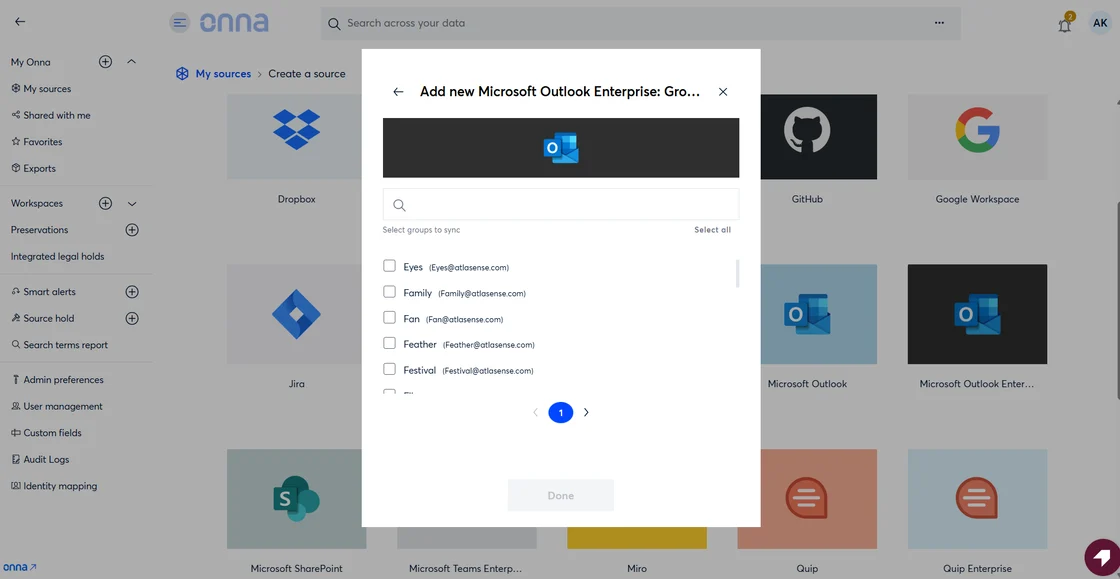
Collecting mailboxes from Outlook used to be an all-or-nothing process.
You needed the mailboxes from one department and the Outlook Enterprise connector handed you the whole company: every intern, every exec, and every reply-all enthusiast. The eDiscovery equivalent of ordering one pizza and having the entire catering truck dropped on your driveway.
Now, a new group-selection step in the Outlook Enterprise data source flow lets you scope a collection to specific groups, and Onna automatically builds the user list based on that group's membership. Right-sized from the beginning. What a concept!
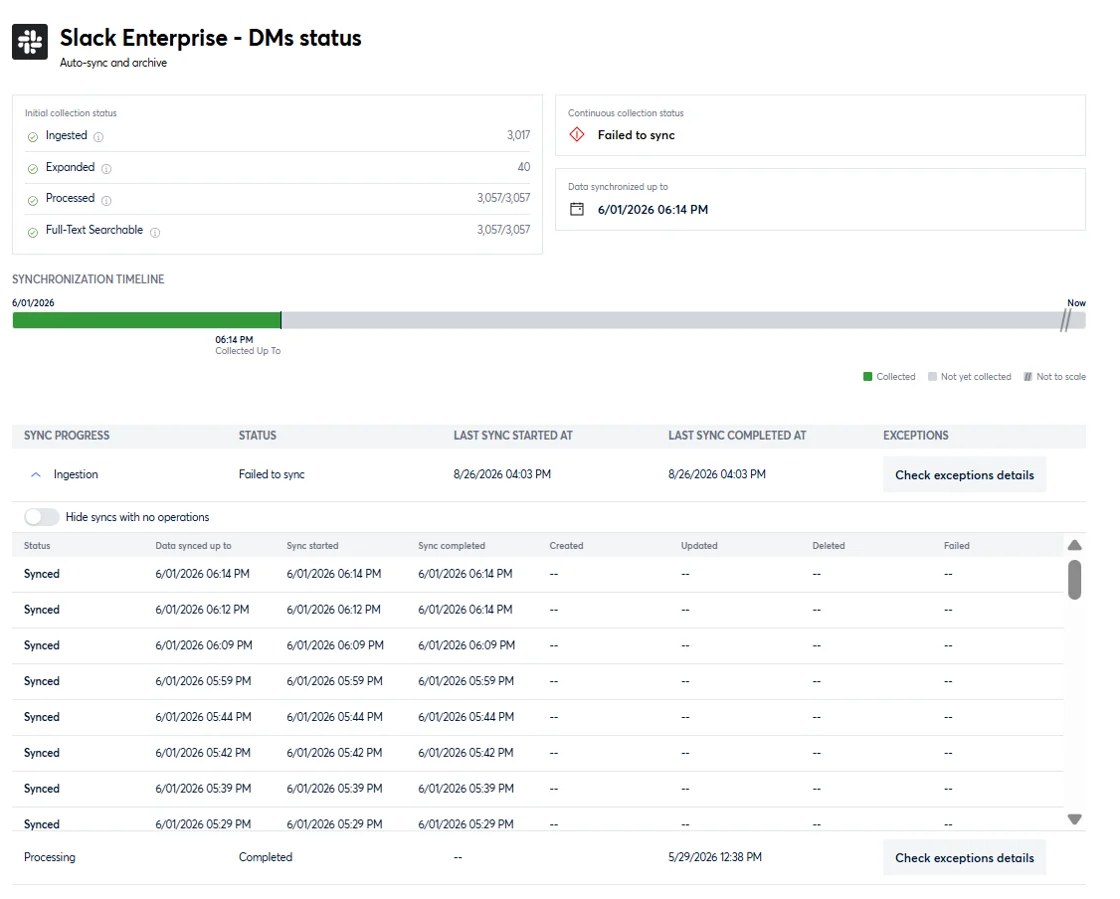
Few things test the nerves like a data source that shows you nothing. Is it done? Has it quietly abandoned you and started a new life somewhere else?
Those blank screens now talk.
Data sources on the Sync Status screen now display the full timeline, the sync history, and the date data last came in. A quiet source will tell you whether it is caught up or genuinely stuck, so you can stop refreshing and hoping.
Also in Onna:
Read the full Onna release notes.
*Available on request. Contact your Customer Success Manager to enable it for your environment.
A minute after sending a hold notice to 400 custodians is not the ideal moment to discover that someone wanted to review it first.
You can now require approval before a hold is issued or re-issued. An administrator turns the approval workflow on in Subscription Settings and decides whether requestors can choose any eligible approver or only someone from a pre-approved list.
Once submitted, the hold moves into Pending Approval and stays safely read-only until someone gives it the green light. Approve it, and the hold goes out automatically. Reject it, and you'll need to add a comment so the requestor knows what needs fixing.
Most legal hold programs have that spreadsheet. It started as a harmless place to track a few extra fields the system didn't support and, somewhere along the way, became critical infrastructure.
Good news: you can now bring those fields home.
Administrators can create custom fields for matters and holds using different field types. Each field can be required or optional, and you can organize them into groups that you can rename and reorder to match the way your team actually works.
Custom fields flow into reports and the reporting API, work as placeholders in message templates, and travel with subscription import and export.
Also in Reveal Hold:
Read the full Reveal Hold release notes.
Here is a look at what our teams are building next.
In public records and investigations work, "we ran a thorough search" is a lot more convincing when you can show it.
Coming soon, Search Auditing & Reporting gives every executed search a paper trail: a clear, exportable record of what was run across a project.
Claude is soon joining Onna's AI-source collection, adding to the Gemini and ChatGPT sources already supported.
In-place preservation across Microsoft 365 is on the way, letting you preserve M365 data in place through Onna rather than exporting it first.
Your feedback shapes this roadmap directly.
If there's something you'd like to see across our products, just let us know. Share your ideas here, browse the full release notes for everything that shipped this month, or reach out to your Customer Success Manager.
Thanks for helping us build a better Reveal!